


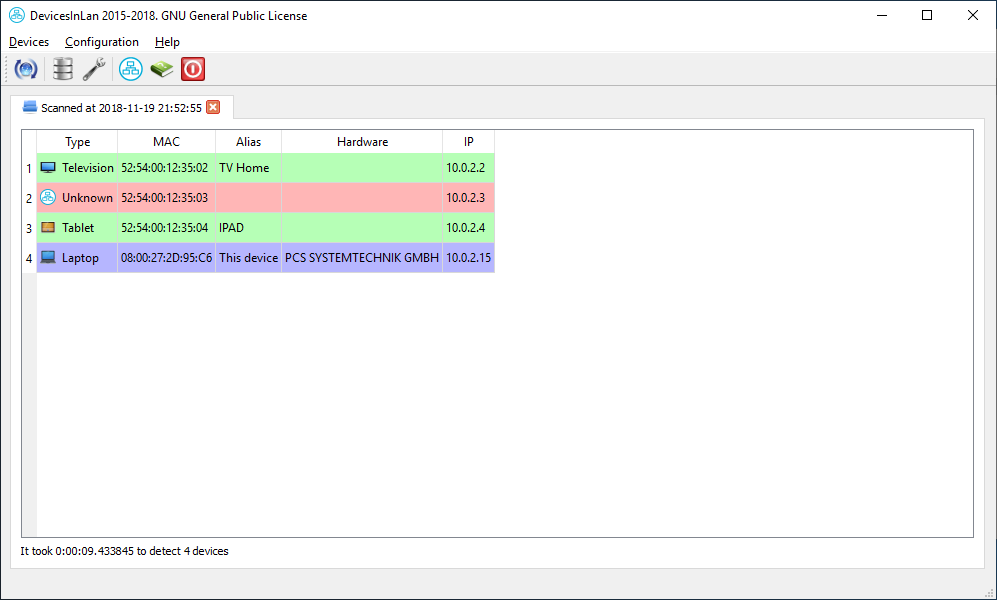
- Project web page: https://github.com/turulomio/devicesinlan/
- Releases and Downloads: https://github.com/turulomio/devicesinlan/releases
You can download portable standalone executables directly from GitHub Releases without needing Python or dependencies installed:
-
Linux (64-bit):
devicesinlan-<version>-linux-64bits: Command-line interface (CLI).devicesinlan_gui-<version>-linux-64bits: Graphical interface (GUI).- Usage: Grant execution permissions (
chmod +x <binary>) and run it.
-
Windows (64-bit):
devicesinlan-<version>-windows-64bits.exe: Command-line interface (CLI).devicesinlan_gui-<version>-windows-64bits.exe: Graphical interface (GUI).- Usage: Run the
.exefile directly.
If you use Gentoo, you can find an ebuild at https://github.com/turulomio/myportage/tree/master/net-analyzer/devicesinlan.
If you use another distribution compatible with pip:
pip install devicesinlan- You need to install Python from https://www.python.org and add it to the
PATH. - Open a console with Administrator privileges and run:
pip install devicesinlan- If you want to create a Desktop shortcut to launch DevicesInLan, run:
devicesinlan_shortcut.exe