


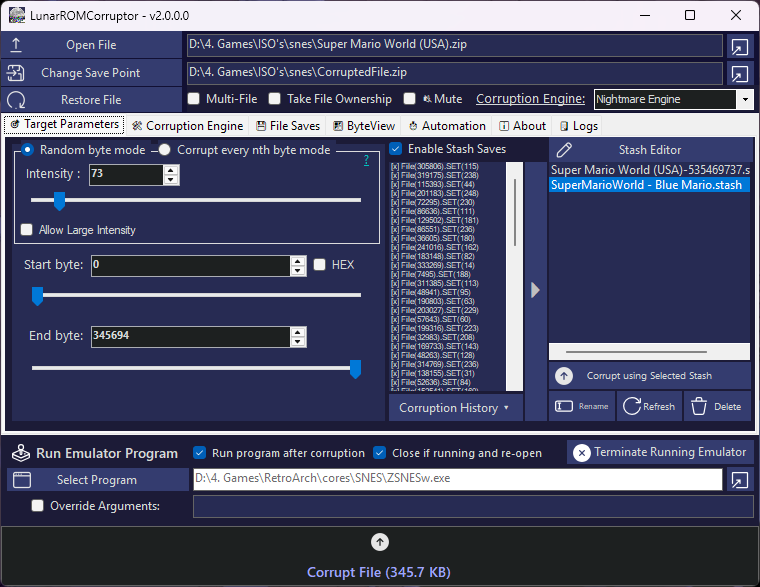
LunarROMCorruptor is a advanced tool designed to corrupt binary data through various algorithmic engines. While optimized for ROM hacking, its capabilities extend to any file format. Whether you are looking for random bit-flips or complex mathematical interpolation, LunarROMCorruptor provides the precision tools needed for high-quality glitch art.
| Feature | Description |
|---|---|
| Multi-Engine Support | Switch between Nightmare, Merge, Logic, Lerp, Manual, Exclusion, Vector2 and Source Code engines seamlessly. |
| Large File Size Support | Files aren't loaded into memory, only the changed bytes are written. Meaning corruption is possible on 50GB+ files |
| Background Corruption | Corruption runs in the background with a progress bar, click the corrupt button again to cancel. |
| Precision Control | Use "Every Nth Byte" or "Intensity Mode" for predictable or chaotic corruption. |
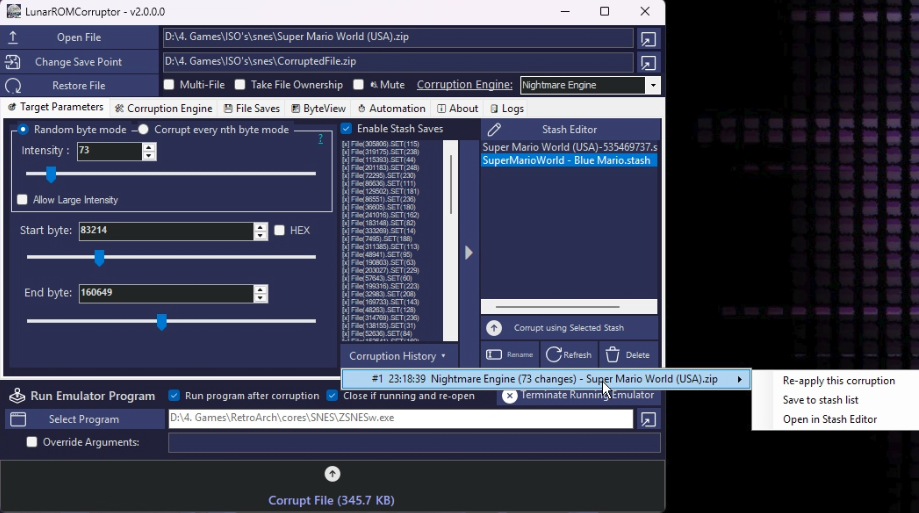
| Smart Saving (File Saves and Stash Saves) | Use File Saves for full copies or Stash Saves (address-only) to save massive amounts of space. |
| Stash Editor | Fine-tune specific corrupted bytes without re-running the entire process. Mutate makes variations of a corruption (random value, nudge value or move address), plus append, sort and remove duplicates. |
| Corruption History | The stashes of the last 3 corruptions are kept so you can re-apply or save one you liked. |
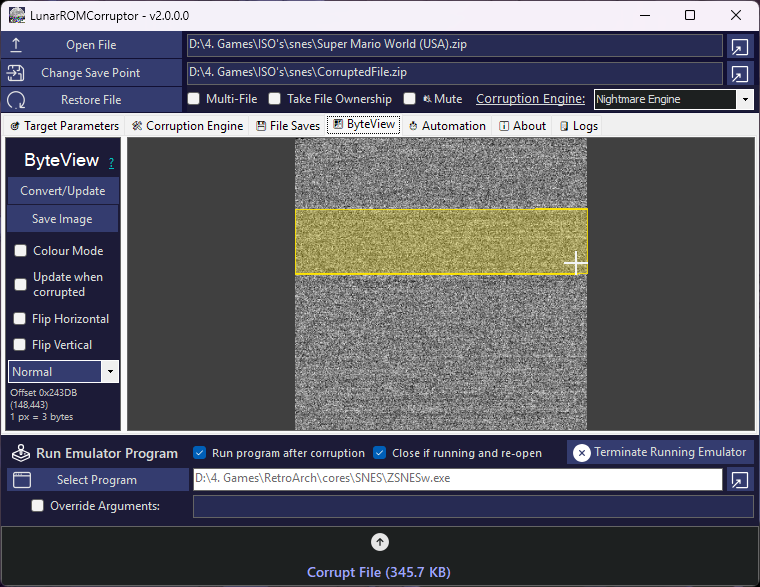
| ByteView | Visualize binary data as RGB/Grayscale pixels to "see" the bytes change. Diff mode highlights every changed byte, Entropy mode shows where text, tables, code and compressed data are. |
| ByteView Targeting | Drag over the ByteView image to set the Start/End byte to exactly that area of the file. |
| Automation | Automate randomization of intensity, byte ranges, and engine selection. |
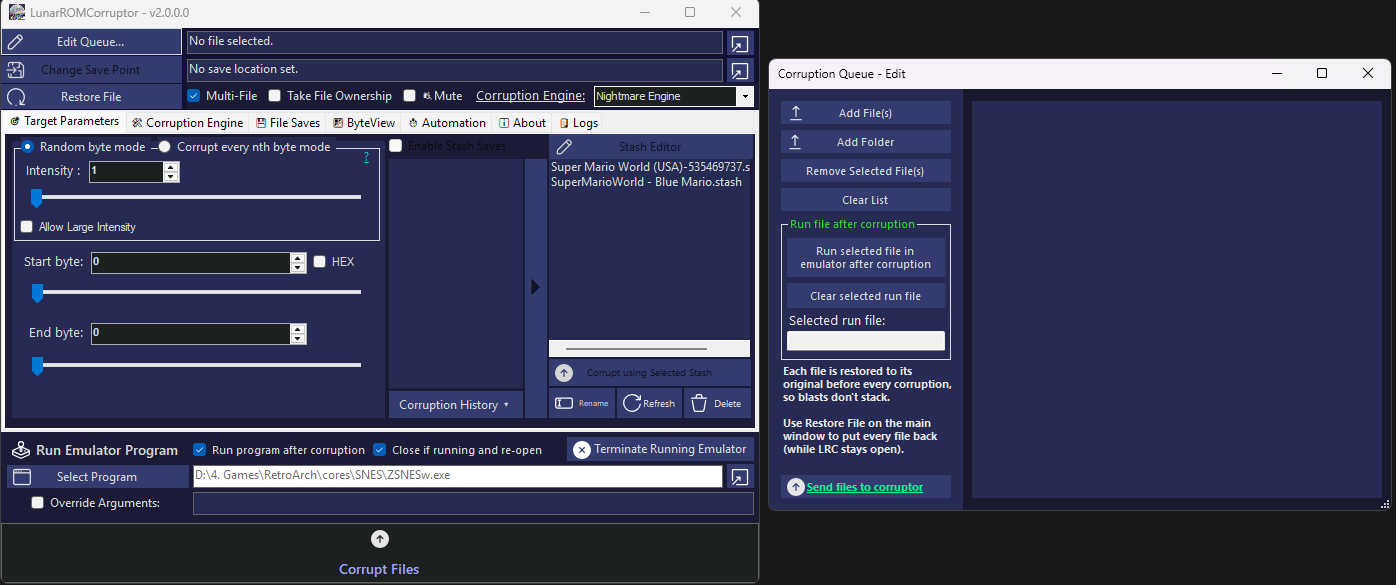
| Batch Processing | Drag-and-drop entire folders or multiple files for mass corruption. Every file is restored before each blast and Restore puts all of them back. |
| Force File Ownership | Use "Take File Ownership" to force a file that is protected to be corrupted. (Caution: With great power comes great responsibility... and tested backups.) |
| Run Emulator after Corruption | Run emulator/program after corruption. By default it runs with the corrupted file as the argument, but you can override the arguments for something custom. |
LunarROMCorruptor utilizes distinct algorithms to achieve different "flavors" of corruption.
| Engine | Logic Type | Best For... |
|---|---|---|
| Nightmare | Random/Tilt | Classic, chaotic bit-flipping and value shifting. |
| Merge | Pattern Injection | Injection Overwriting random ROM addresses with data from any source file (e.g., injecting video noise into a ROM). |
| Logic | Bitwise Ops | Advanced manipulation using AND, OR, XOR, NAND, NOR, SWAP, SHIFT, etc. |
| Lerp | Interpolation | Smooth, gradient-based transitions between byte values. |
| Manual | User Defined | Complete manual control over every single operation. |
| Exclusion | Header Protection | Nightmare-style corruption that never touches the headers/vectors of the selected platform or file format (NES, SNES, N64, GB, GBA, NDS, GameCube, Wii, PS1, PS2, Genesis, SMS/GG, Saturn, Dreamcast, PC Engine, Atari, EXE, ELF, BMP, WAV, JPEG and more). |
| Blocks | Glitch Art | Sorts, reverses, shuffles, rotates, smears or echoes whole blocks of data (pixel sorting / data moshing). Element size keeps RGB pixels or audio samples intact. |
| Datamosh | Video | Classic datamoshing for AVI videos: removes keyframes (melt) or repeats motion frames (bloom). Convert first with ffmpeg -i in.mp4 -c:v mpeg4 -vtag XVID -q:v 2 -g 600 -bf 0 -c:a libmp3lame out.avi. |
| Vector2 | Float Corruption | Finds 32-bit floats (positions, speeds, sizes) and nudges, negates, swaps or replaces them. |
| Source Code | Code Variables | Targets and corrupts variables (e.g. booleans, integers, strings, variable names, etc) in source code files: true becomes false, 3.14 becomes 4, strings get shuffled. Comments are skipped. |
See Corruption Engine Settings for detailed parameters for each corruption engine.
The built-in ByteView transforms binary data into a visual image. By mapping byte values to RGB or grayscale pixels, you can observe patterns that are invisible in a standard hex editor. The view updates in real-time as you apply corruption engines. You can also drag and select the start and end bytes you want to corrupt in the ByteView mode, which will draw a yellow box around them.
Caution
CORRUPTION WARNING
- Epilepsy Warning: Corruption can result in rapid, flashing imagery. Use with caution.
- System Stability: Corrupting critical system files (like
system32) can cause irreversible OS damage. Always use a Virtual Machine for testing.
- Anti-Cheat Risk: Using this tool on online games or protected software will likely result in permanent account bans.
- No Warranty: This software is provided "AS IS". The developer is not responsible for any data loss, hardware instability (BSOD), or loss of access to digital accounts.
- If the save location is a different file, the original is never modified and Restore copies the original back.
- If the save location is the original file, the original bytes are kept in a temporary undo journal so Restore works while LRC is open.
- Runtime:
.NET Core 10.0 - Development Environment:
Microsoft Visual Studio 2026(Recommended) - Platform: Windows
Increment ByteDo math operations on byte: (*,/,^ byte by (number))Repeat ByteShift Right X bytesPaste byte to random place:Make byte equal: (Number)Replace: (Number) with (Number)
RANDOM: Sets selected bytes to a random value (0-255).RANDOMTILT: Either generates a random byte value, or randomly adds or subtracts a user-defined offset.TILT: Adds or subtracts a fixed mathematical shift (e.g.,Value + 10).
File Selection: The file that will have its bytes copied from. This file wont be changed.Replace byte with the byte at the same position: The merge file and the ROM will be checked to see if there is a byte in the random address LRC chose. If there is the merge file byte will override the ROM byte at the ROM byte address selected.Corruption Type: NONE or RANGE.MOD 256
Split Value: Sets the interpolation value.
Operation Type: AND, OR, XOR, NOT, NAND, NOR, SWAP, SHIFT
Has Nightmare engine internals but has an exclusion list the user can select to exclude certain bytes from being corrupted.
- RANDOM: Sets selected bytes to a random value (0-255).
- RANDOMTILT: Either generates a random byte value, or randomly adds or subtracts a user-defined offset.
- TILT: Adds or subtracts a fixed mathematical shift (e.g., Value + 10).
Exclusion Type: Tells the engine via the exclusion type what byte locations to ignore when corrupting to get more creative corruptions with less crashes.
The exclusion type list is:
- NES
- SNES
- N64
- N64 (STRICT CRC)
- GAMEBOY
- GBA
- NDS
- GAMECUBE
- WII
- PS1
- PS2
- SEGA
- SMS/GG
- SEGA CD/SATURN
- DREAMCAST
- PC ENGINE
- ATARI 2600
- ATARI 7800
- ATARI LYNX
- VIRTUAL BOY
- WONDERSWAN
- EXE
- ELF
- BIOS
- BMP
- WAV
- JPEG
The Vector2 Engine looks for 32-bit floats (positions, velocities, sizes, colours) and corrupts them. Only values inside the min/max magnitude are treated as floats, which avoids corrupting code and empty data. In 'Every Nth' mode N counts floats/vectors instead of bytes. Most PC/PS1/PS2/DS/3DS/Switch data is little-endian.
Corruption Type:
- REPLACE
- NUDGE
- NEGATE
- RANDOM
- SWAPXY
Replacement Values
Nudge Amount (%)
Only floats from
Up to (magnitude)
Works on whole blocks instead of single bytes, like pixel sorting and data moshing in glitch art. SORT orders the elements by value, REVERSE/SHUFFLE/ROTATE move them around, SMEAR repeats one element across the block and ECHO mixes the block with the data that came earlier. Intensity = number of random blocks, Every Nth = every Nth block from the start byte. Tip: use ByteView to find image/audio data and drag over it to target it. For compressed video (MP4/AVI) use the Datamosh Engine instead, Blocks only gives a datamosh look on uncompressed video or raw images.
Element size: 1 = bytes, 2 = 16-bit audio samples, 3 = 24-bit RGB pixels, 4 = 32-bit values/RGBA pixels.
Block operation:
- RANDOM
- SORT
- REVERSE
- SHUFFLE
- ROTATE
- SMEAR
- ECHO
Block size (bytes)
Element Size (bytes)
Echo distance (bytes)
Sort descending (Checkbox)
Datamoshing for AVI videos (Xvid/DivX/MPEG-4 works best; H.264 AVIs work with DUPLICATE_FRAMES, but players may skip frames after removed keyframes). REMOVE_KEYFRAMES deletes keyframes so the motion of the next frames smears over the old picture (the classic melt). DUPLICATE_FRAMES repeats motion frames so the movement keeps pushing the pixels (bloom). Every Nth = every Nth keyframe/frame (Every Nth = 1 removes them all), Intensity = that many random ones.
Preset: convert your video first with ffmpeg -i input.mp4 -c:v mpeg4 -vtag XVID -q:v 2 -g 600 -bf 0 -c:a libmp3lame output.avi (few keyframes, no B-frames). Then use REMOVE_KEYFRAMES + Every Nth Byte = 1 + Keep first keyframes = 1. Play the result in VLC/mpv or bake it with ffmpeg -i moshed.avi -c:v libx264 -crf 18 final.mp4
Mosh type:
- REMOVE_KEYFRAMES
- DUPLICATE_FRAMES
- BOTH
Keep first keyframe
Repeat each frame (times)
The most interesting one in my opinion; reads source code as text and corrupts values instead of raw bytes, e.g. true becomes false, 3.14 becomes 4, strings get shuffled. Comments are skipped (AUTO picks the comment style from the file extension). Intensity = how many values to corrupt, Every Nth = every Nth value. Each change is saved to the stash as File(offset).VARLINE("name",line).SET("value").
Values to corrupt (checkboxes):
- Booleans (true/false)
- Integers (10, 0xFF)
- Decimals (3.14)
- Strings ("Text")
- Null values (null/nil/None)
- Operators (== < + &)
- Variable Names (Swap)
Number corruption:
- RANDOM
- NUDGE
- SCALE
- SIGNFLIP
- MAGIC
- DIGITS
Strength (%)
String Corruption:
- RANDOM
- SHUFFLE
- REVERSE
- TRUNCATE
- SWAP
- SUBSTITUTE
- REPEAT
Comment Style:
- AUTO
- CLIKE
- HASH
- DASHDASH
- SEMICOLON
- XML
- BASIC
- NONE
Contributions welcome!
- Fork the Project
- Create your Feature Branch (
git checkout -b feature/Feature) - Commit your Changes (
git commit -m 'Add some Feature') - Push to the Branch (
git push origin feature/Feature) - Open a Pull Request
Distributed under the MIT License. See LICENSE for more information.